(English) Participation Guide

Désolé, cet article est seulement disponible en English et Ελληνικά.

  1. (English) Registration / Users
    1. (English) User Roles
      1. (English) Teachers/Team Leaders
        1. (English) Teachers and Students Aprooval
        2. (English) School administration
        3. (English) School data edit
        4. (English) Create a blog post in Community
        5. (English) Publish educational content H5P
      2. (English) Students
      3. (English) Visitors
    2. (English) Teacher Registration
      1. (English) Connect to a school
      2. (English) How to register my school in the platform
    3. (English) Student Registration
    4. (English) Visitor Registration
    5. (English) User profile management
    6. (English) User Library
  2. (English) Radio Shows
    1. (English) Prepare / promote your Broadcasts
      1. (English) Organize the Student Radio Team
      2. (English) Promote your participation in the School Radio
        1. (English) Activities to promote your Broadcasts
        2. (English) School Participation (Logo and Spot)
        3. (English) Create a Community Group
        4. (English) Listen to ESR from Your Website
      3. (English) Collaborate on Joint Broadcasts
      4. (English) Record your Radio Shows
    2. (English) Podcast or Radio Show
      1. Podcast
        1. (English) Create a Podcast
        2. (English) Edit a Podcast
        3. (English) Add an episode
        4. (English) Delete a Podcast
      2. (English) Radio Show
        1. (English) Short Radio Show
        2. (English) Book a Scheduled Radio Show
        3. (English) Edit a a Scheduled Radio Show[:}
        4. (English) Add an Episode to a Radio Show
        5. (English) Edit an Episode of a Radio Show
        6. (English) Delete a Radio Show
        7. (English) Live Broadcasting
        8. (English) Listen to your Broadcast
    3. (English) Search
      1. (English) Search Radio Shows and Podcasts
      2. (English) Search Schools
      3. (English) Search Users
  3. (English) Contests / Activities
    1. (English) Make it heard
      1. (English) Submit your entry
      2. (English) Entries Evaluation
        1. (English) Evaluation by Teachers
        2. (English) Evaluation by Students
        3. (English) Eveluation by the Jury
    2. (English) Other Activities by European School Radio
    3. (English) Teachers Training
  4. (English) Support

(English) Add an Episode to a Radio Show

Désolé, cet article est seulement disponible en English, Ελληνικά, Español, Polski et Português.

Method 1

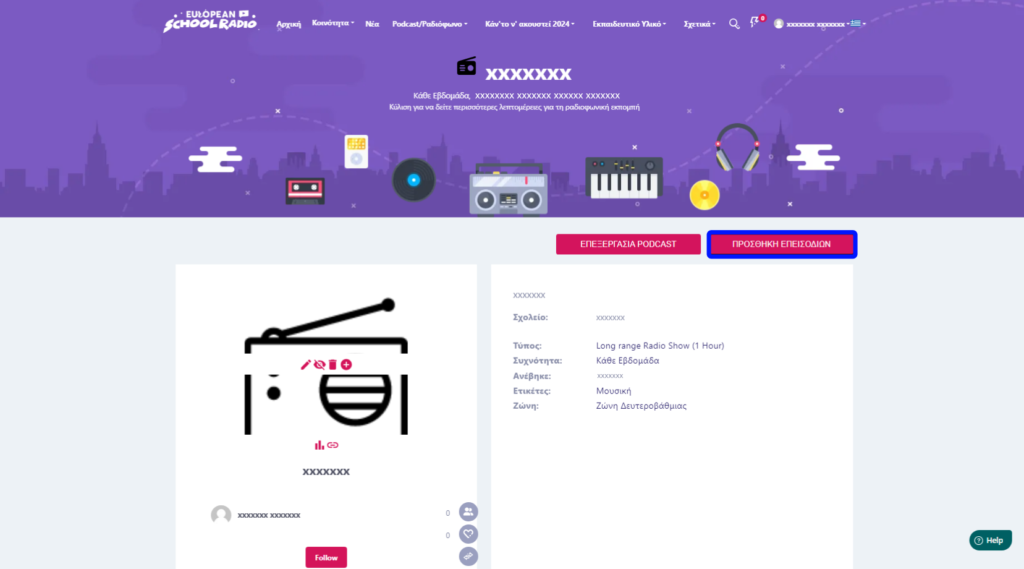
Step 1: Locate the show you want to add and click on « Add Episode« 
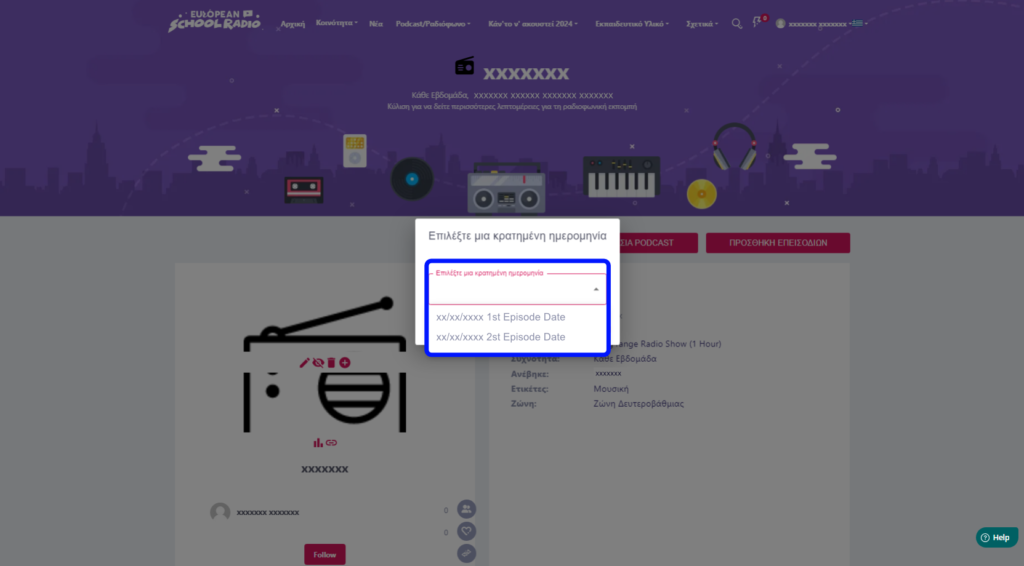
Pick the date for the episode
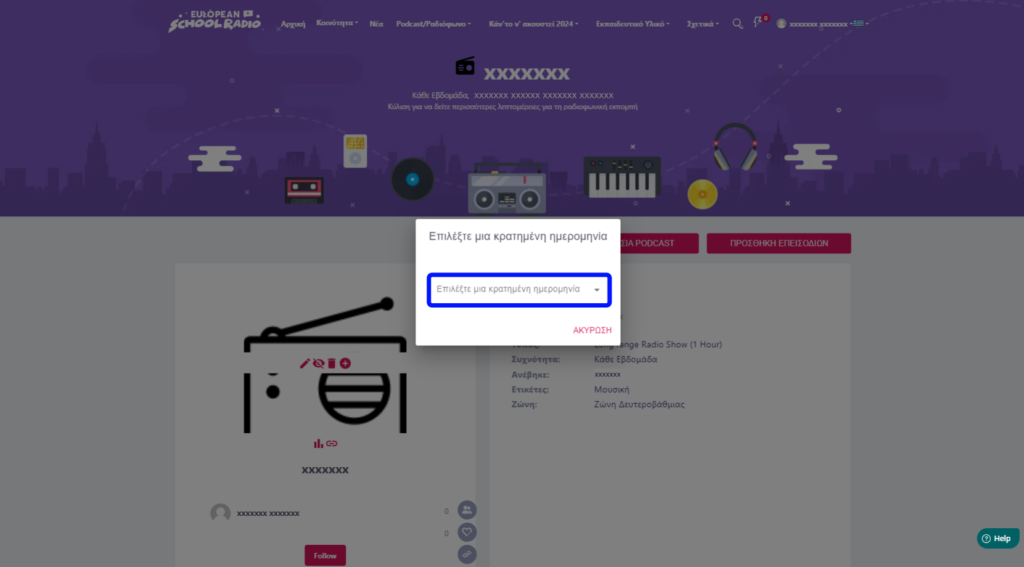
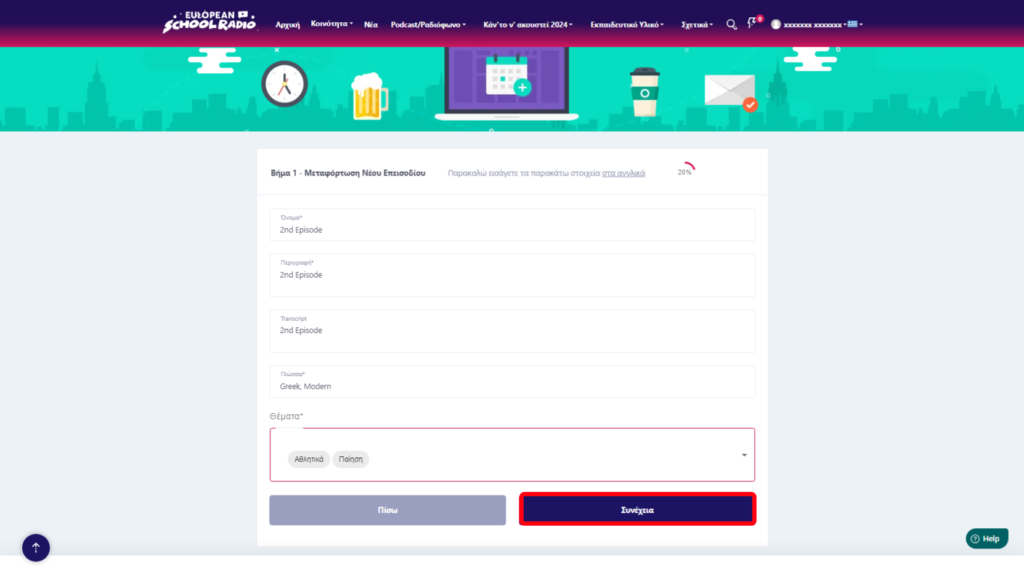
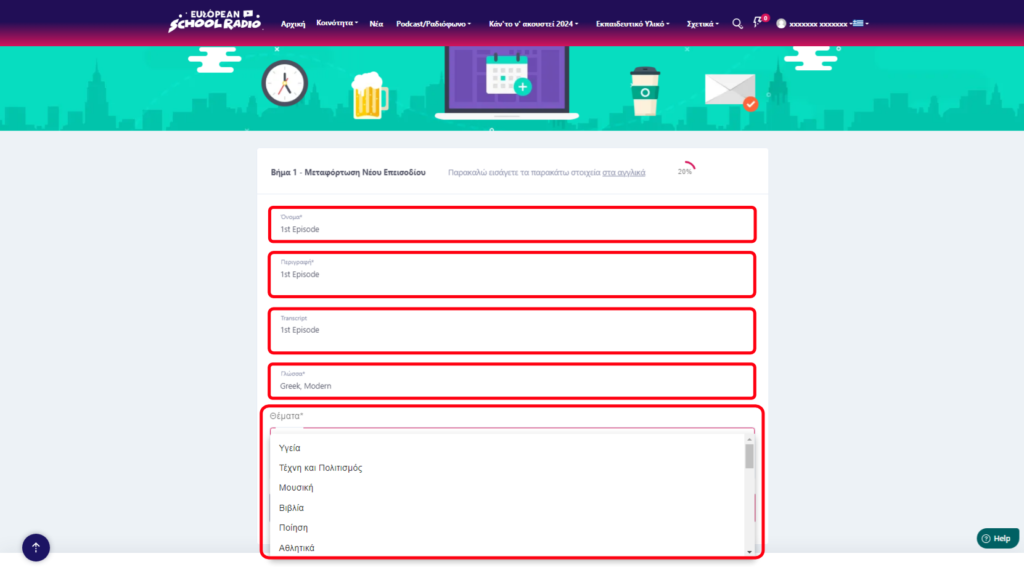
Fill in the necessary fields in English, then select « Continue« .
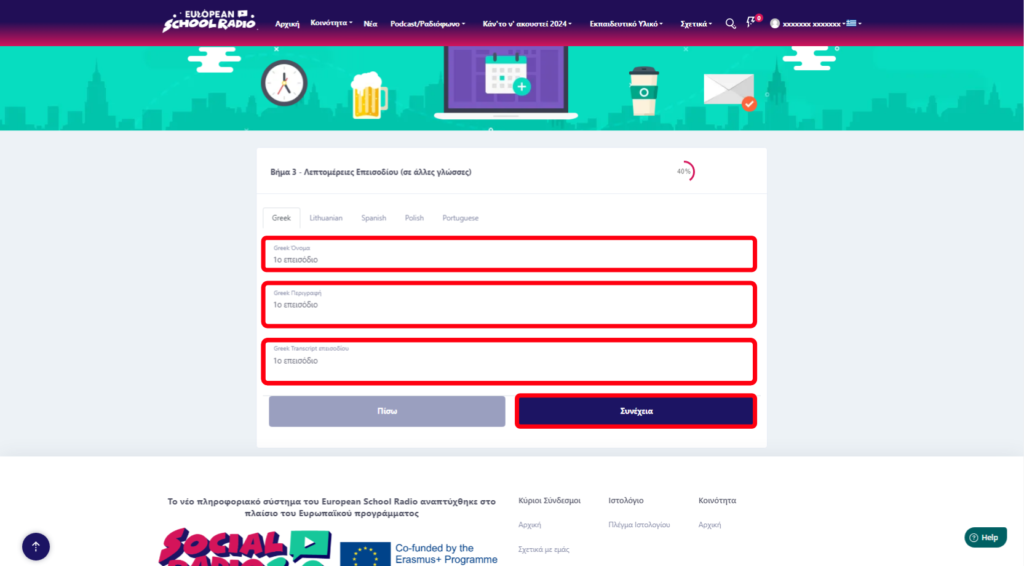
Fill in the necessary information in the corresponding fields and then click « Continue« .
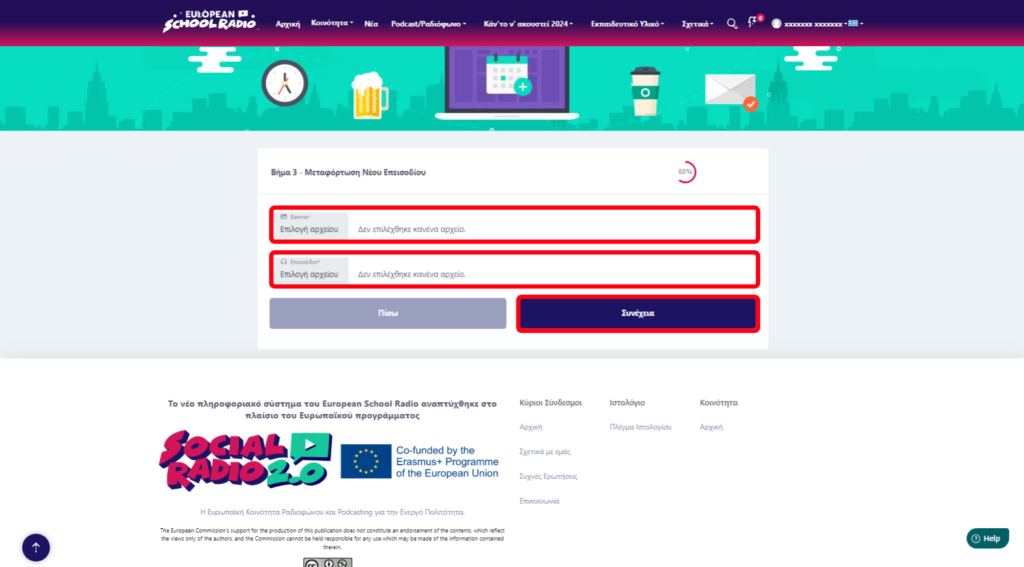
Next, select the files (Banner [image], Episode

) and press « Continue« 
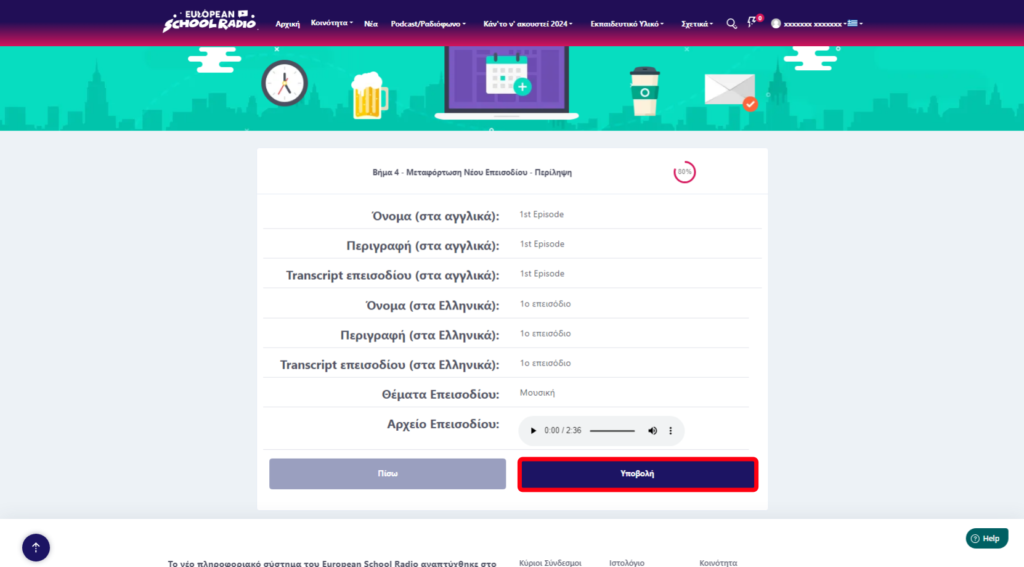
Summary of episode data. Press the « Submit » button
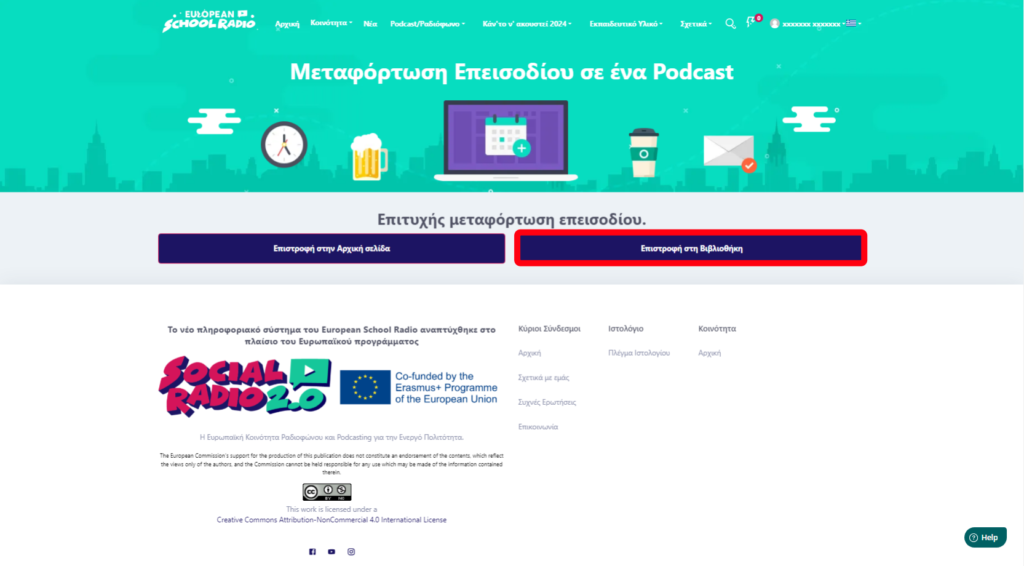
Click on the « Return to Library » option.
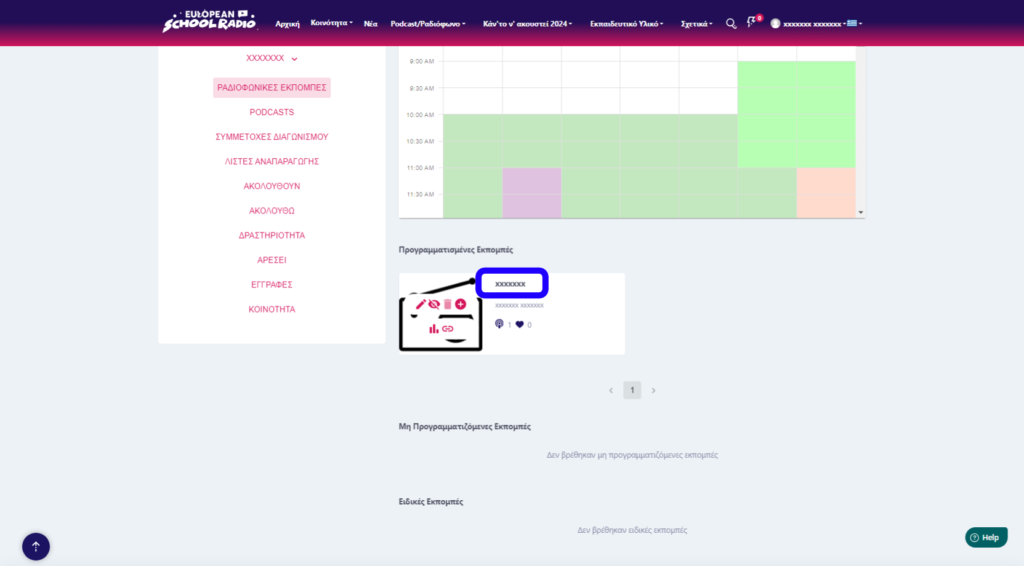
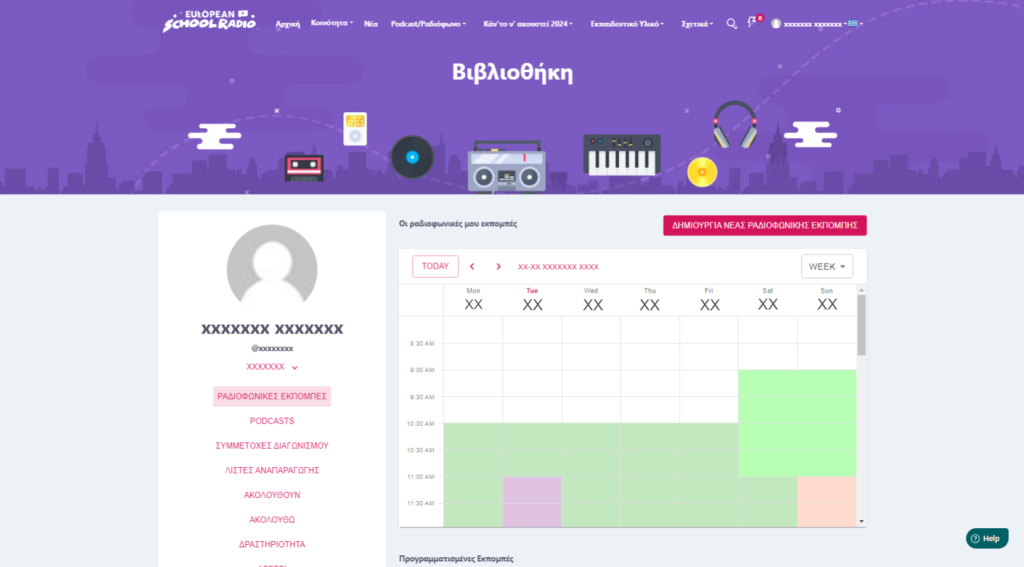
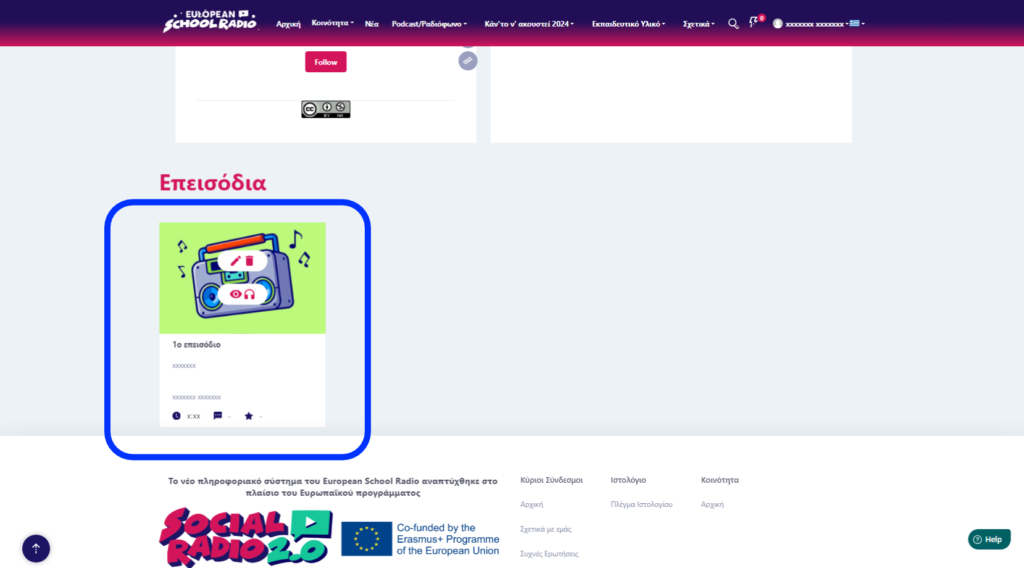
Locate the show you just added an episode and click on its title
Scroll down
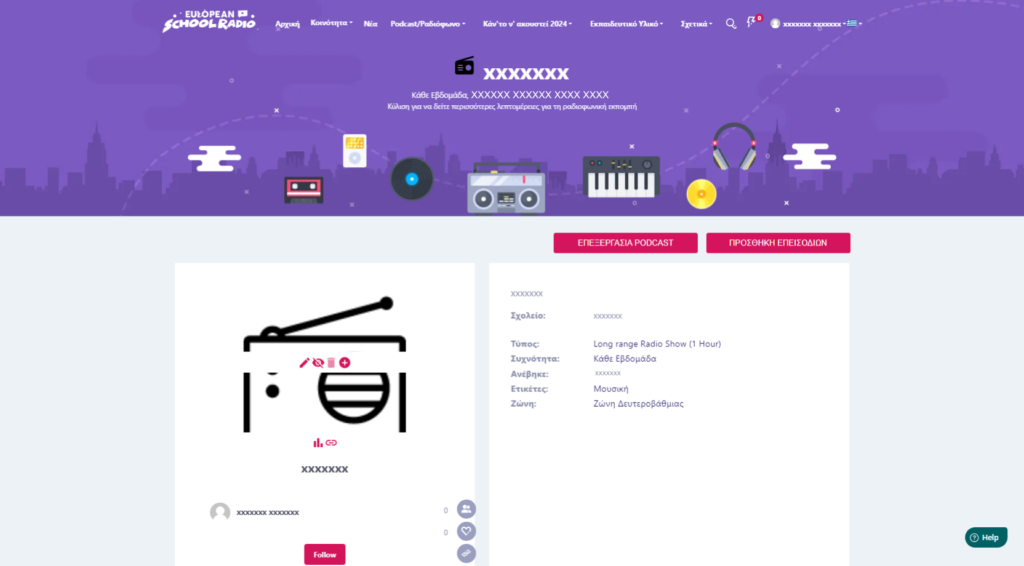
And as you can see, this is the first episode in a show that we just created together.


Method 2

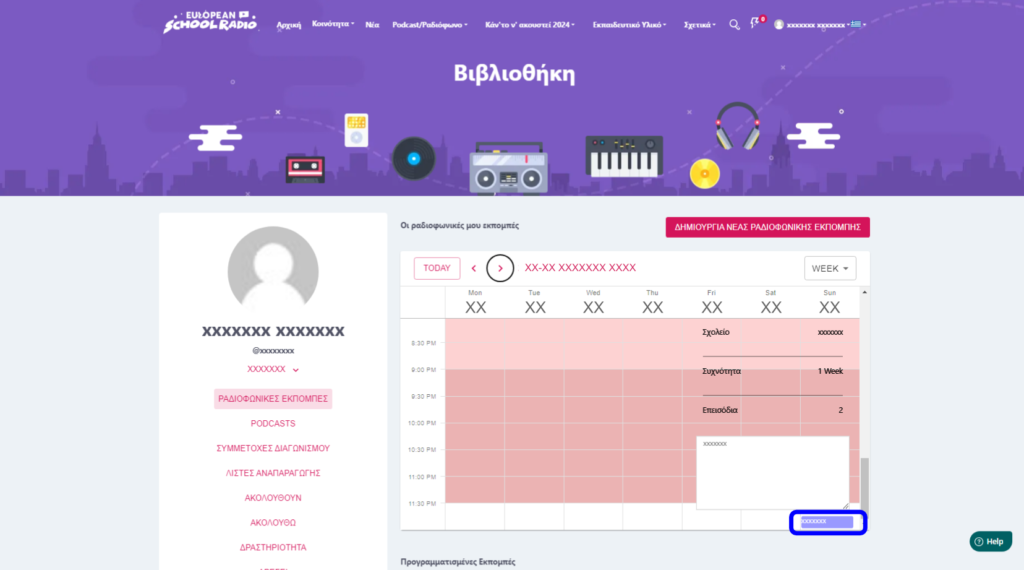
Step 1:Search the schedule for one of the reserved days in the schedule that has the title of the scheduled show you want to add an episode to.
Fill in the necessary fields in English, then select « Continue« .
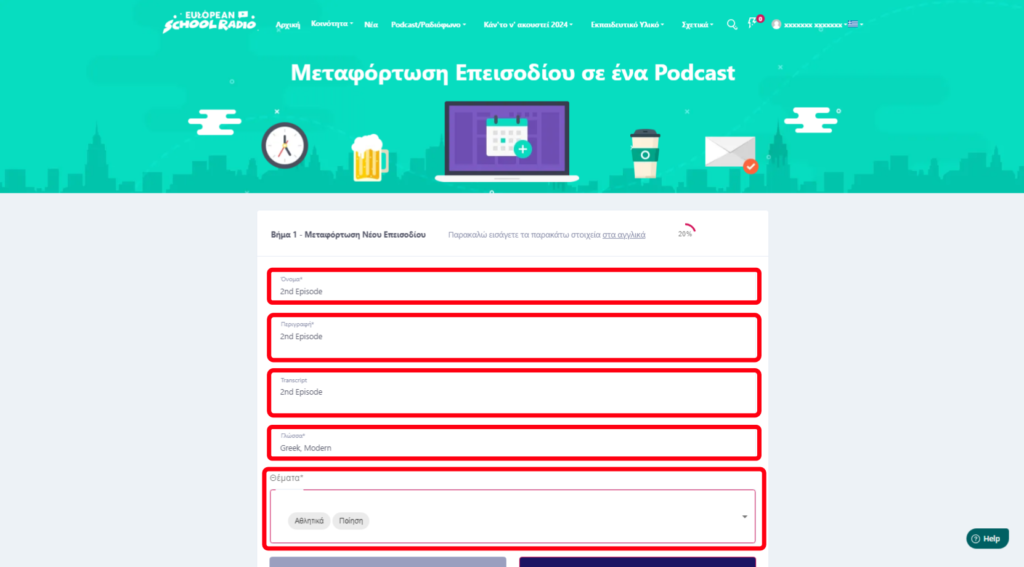
The next steps from here on are the same as in method 1.

 

Yes No Suggest edit
0 of 0 users found this section helpful
Help Guide Powered by Documentor
Suggest Edit