(English) Participation Guide

Leider ist der Eintrag nur auf English und Ελληνικά verfügbar.

  1. (English) Registration / Users
    1. (English) User Roles
      1. (English) Teachers/Team Leaders
        1. (English) Teachers and Students Aprooval
        2. (English) School administration
        3. (English) School data edit
        4. (English) Create a blog post in Community
        5. (English) Publish educational content H5P
      2. (English) Students
      3. (English) Visitors
    2. (English) Teacher Registration
      1. (English) Connect to a school
      2. (English) How to register my school in the platform
    3. (English) Student Registration
    4. (English) Visitor Registration
    5. (English) User profile management
    6. (English) User Library
  2. (English) Radio Shows
    1. (English) Prepare / promote your Broadcasts
      1. (English) Organize the Student Radio Team
      2. (English) Promote your participation in the School Radio
        1. (English) Activities to promote your Broadcasts
        2. (English) School Participation (Logo and Spot)
        3. (English) Create a Community Group
        4. (English) Listen to ESR from Your Website
      3. (English) Collaborate on Joint Broadcasts
      4. (English) Record your Radio Shows
    2. (English) Podcast or Radio Show
      1. Podcast
        1. (English) Create a Podcast
        2. (English) Edit a Podcast
        3. (English) Add an episode
        4. (English) Delete a Podcast
      2. (English) Radio Show
        1. (English) Short Radio Show
        2. (English) Book a Scheduled Radio Show
        3. (English) Edit a a Scheduled Radio Show[:}
        4. (English) Add an Episode to a Radio Show
        5. (English) Edit an Episode of a Radio Show
        6. (English) Delete a Radio Show
        7. (English) Live Broadcasting
        8. (English) Listen to your Broadcast
    3. (English) Search
      1. (English) Search Radio Shows and Podcasts
      2. (English) Search Schools
      3. (English) Search Users
  3. (English) Contests / Activities
    1. (English) Make it heard
      1. (English) Submit your entry
      2. (English) Entries Evaluation
        1. (English) Evaluation by Teachers
        2. (English) Evaluation by Students
        3. (English) Eveluation by the Jury
    2. (English) Other Activities by European School Radio
    3. (English) Teachers Training
  4. (English) Support

(English) Teacher Registration

Leider ist der Eintrag nur auf English, Ελληνικά, Español, Polski und Português verfügbar.

If you are a teacher from Greece, you can register automatically by clicking on the Login option using the codes you have in the Panhellenic School Network.
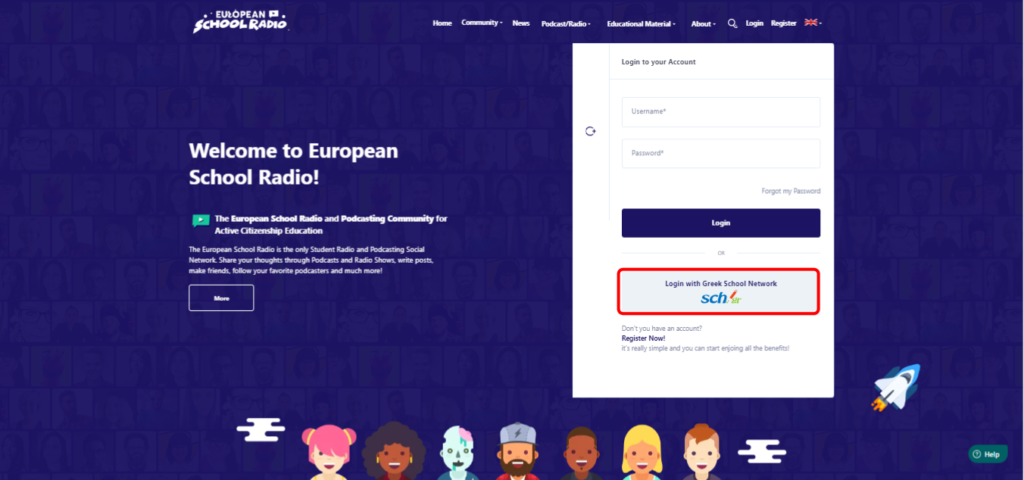
If you are a teacher outside Greece, you can ONLY register to Student Radio from the „Register Now!“ option.

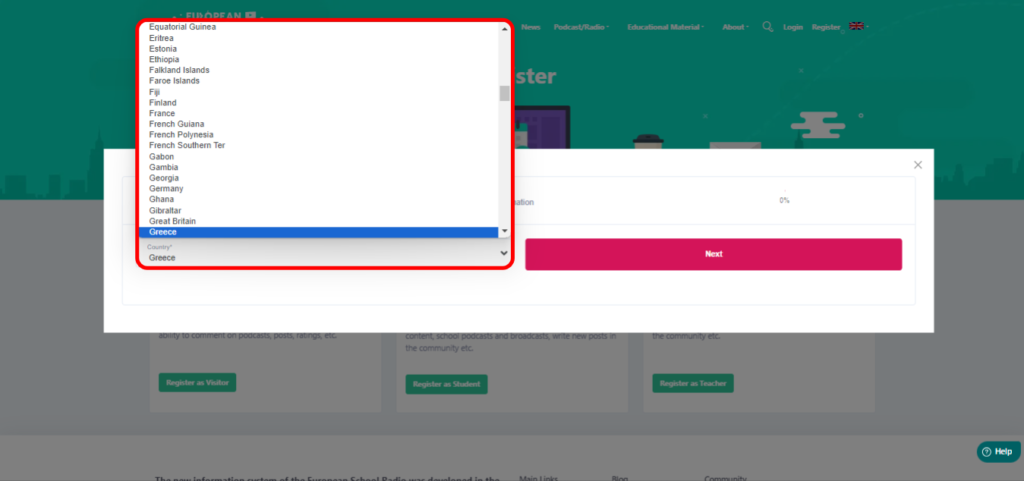
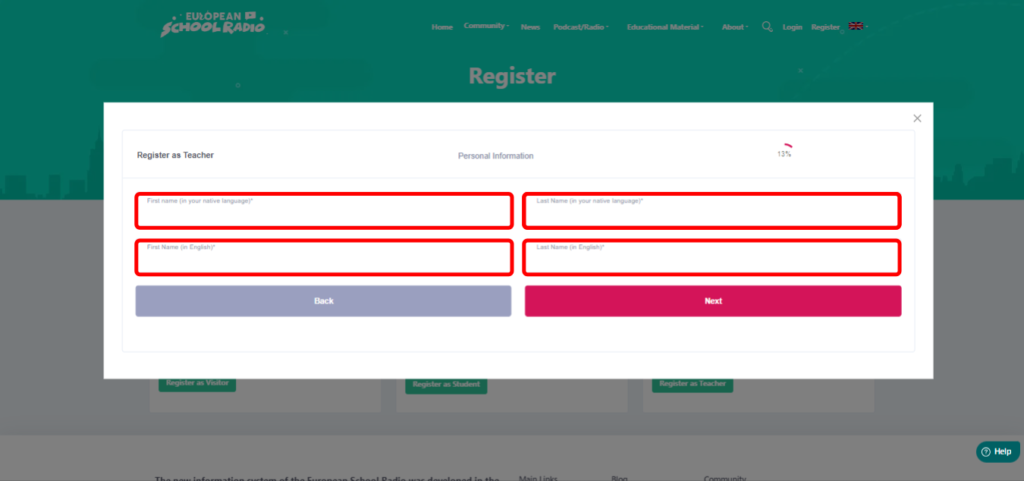
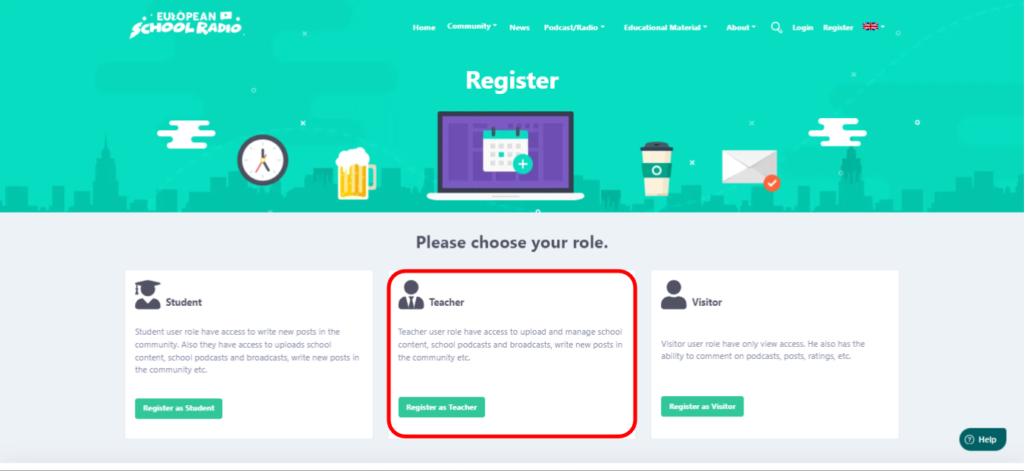
After selecting Register Now!, the tab for filling in the registration details of the teacher and his/her school appears.
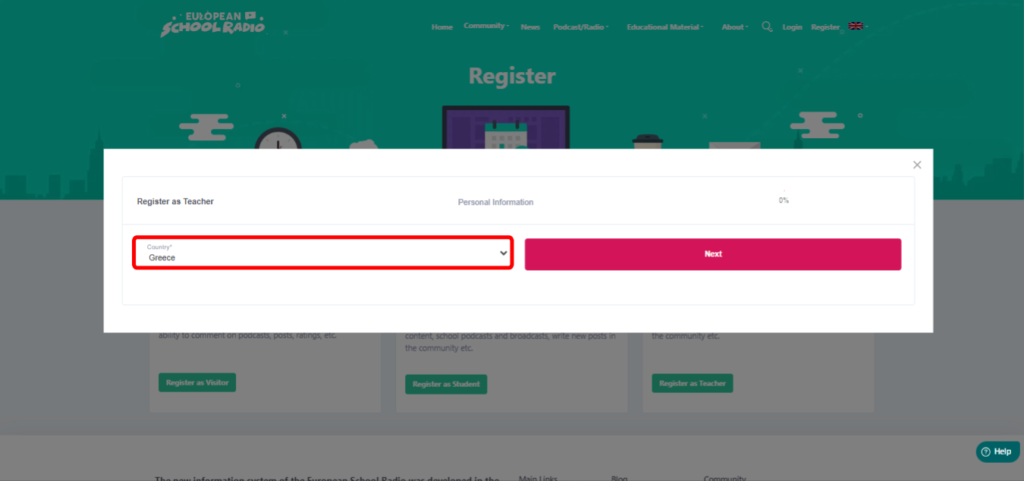
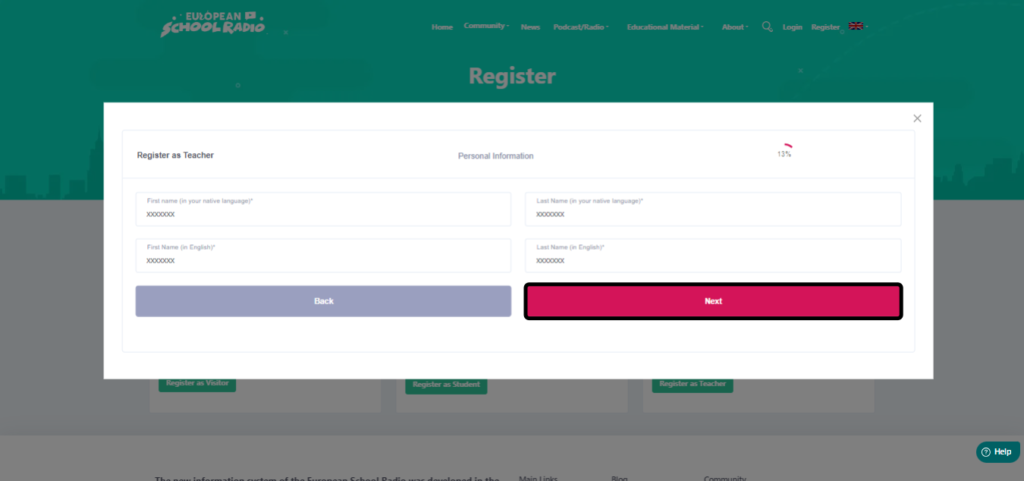
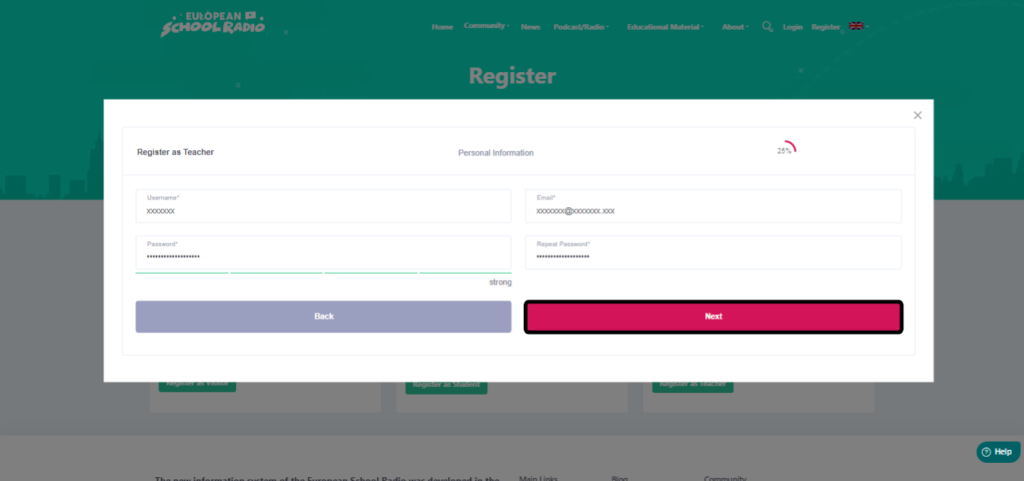
Then click „Next„.
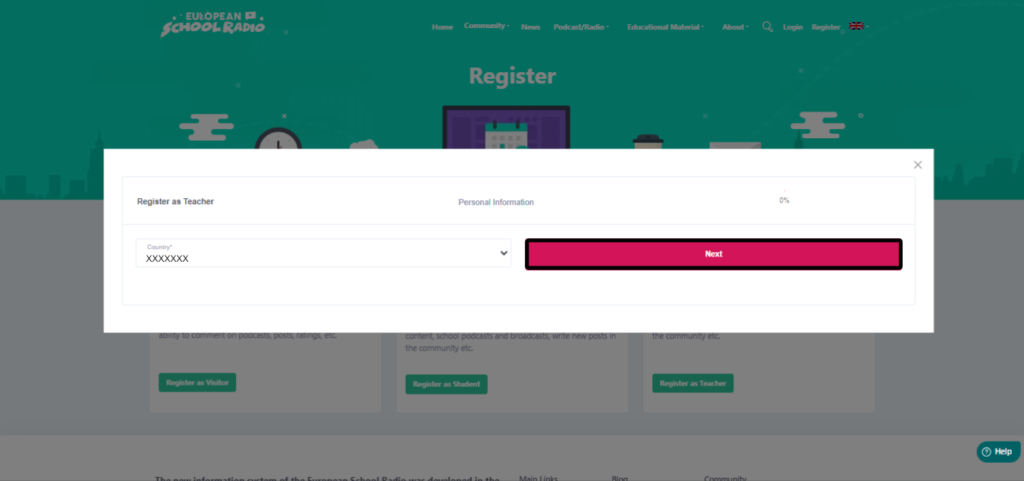
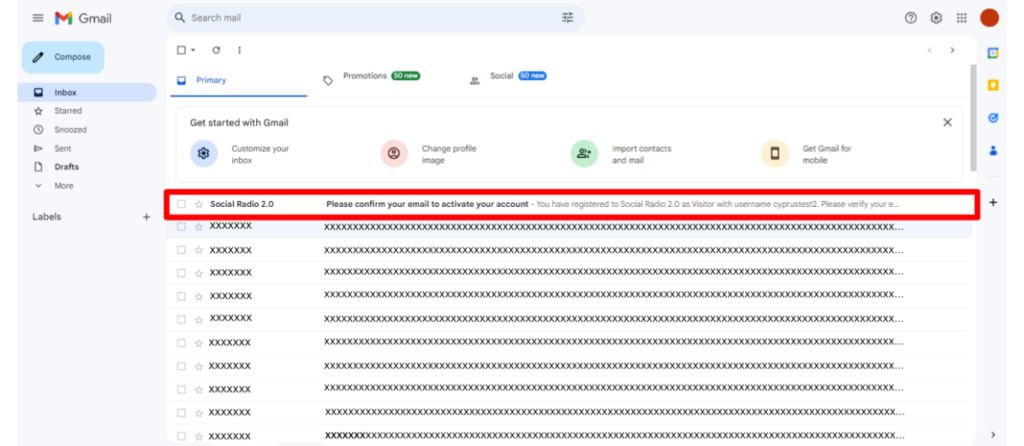
It is necessary to open your email and click on the link.

⚠️ To confirm your email address, you must have your email open in the same browser you use to register. For example, if you are registering from the Chrome browser, then you will need to confirm your email in Chrome. Similarly, if you are on the Edge browser, you will need to confirm your email on Edge. This is important for the smooth process of confirming your email.
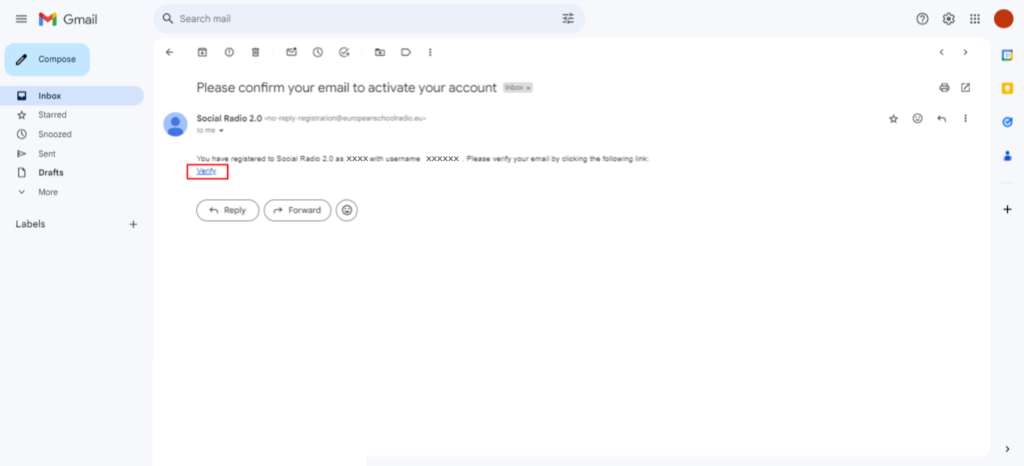
Click on „Verify“ (blue text). This means you have to click the button that says „Verify“ and is written in blue letters. This is usually used to confirm identity or registration on a website or service.
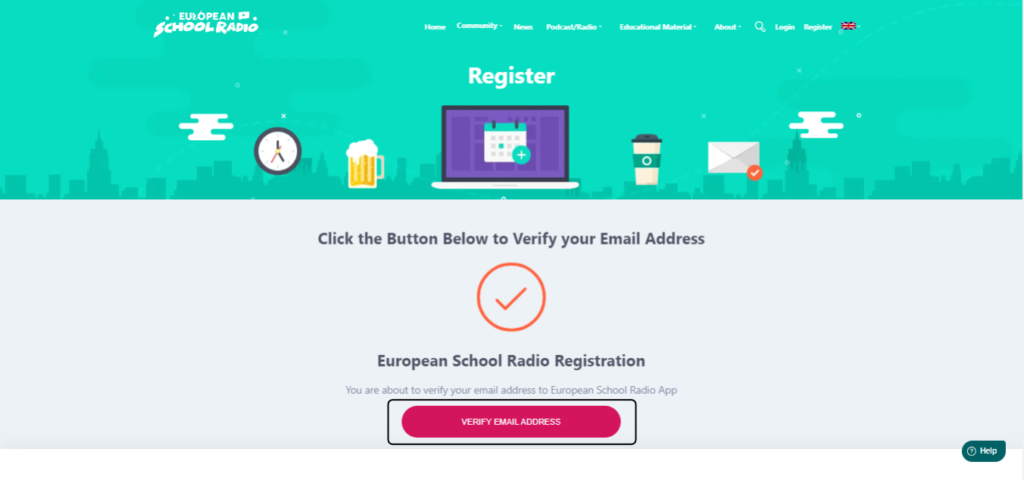
Select „Verify email address„.
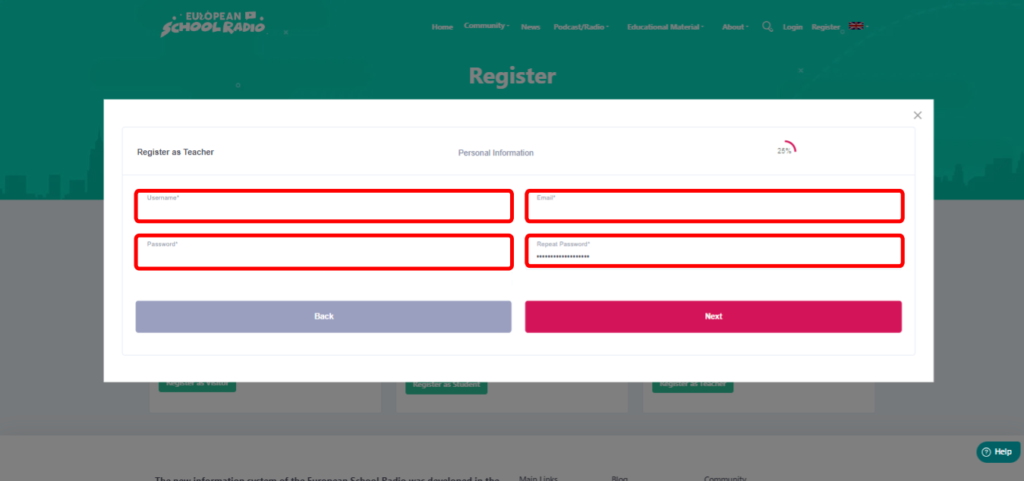
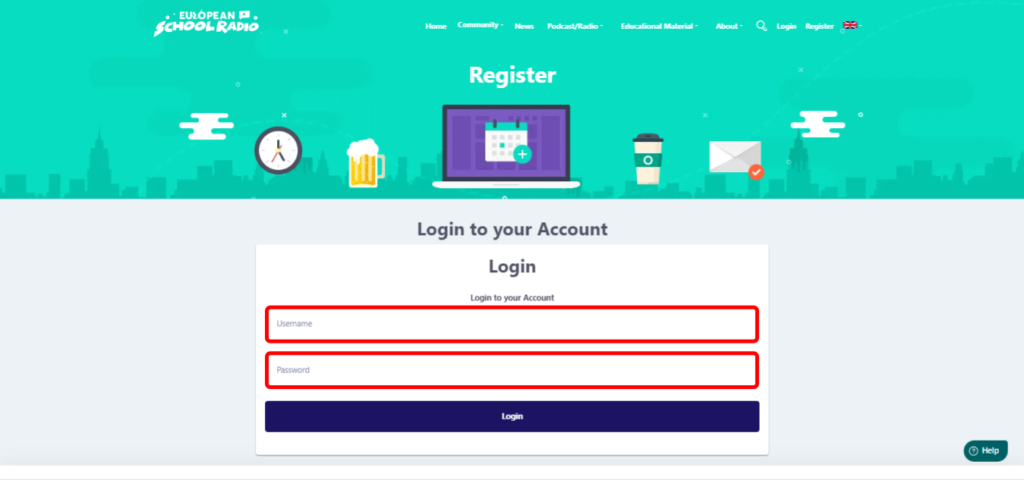
Enter your username and password.
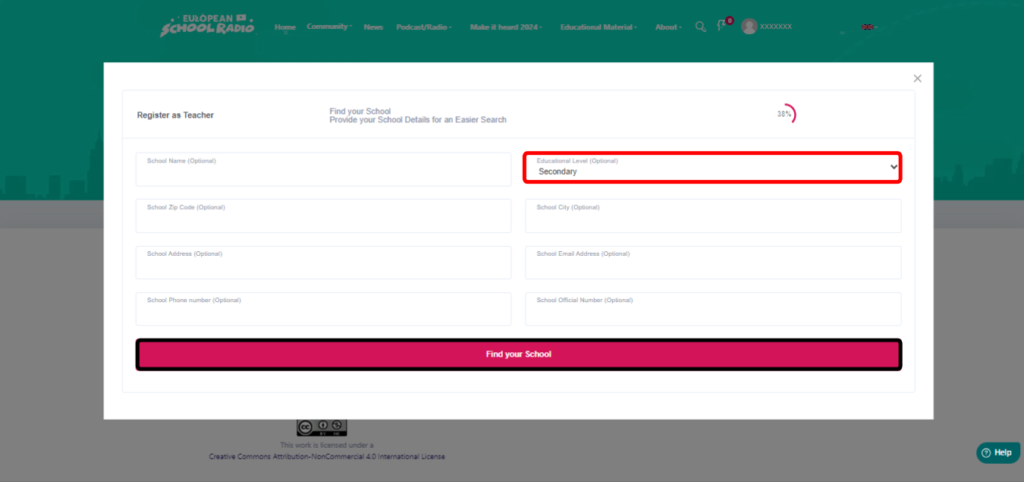
School description

Enter the data you know about your school. You do not need to fill in all the fields to be able to search.

In the „Official School Number“ field, the is the number of the school that is registered with the ministry. For Cypriots it is the number to which they order books from the ministry. If you don’t know it, then ask the headmaster of the school.
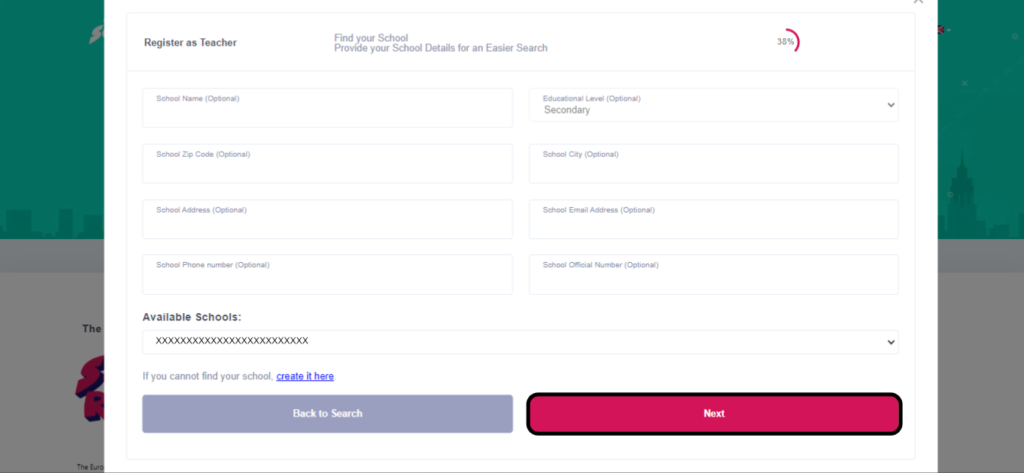
Case 1

In case you find your school

Alternatively, select your school from the list below and then click on „Next„.

Select your school and then click „Next„.
Enter the data required.
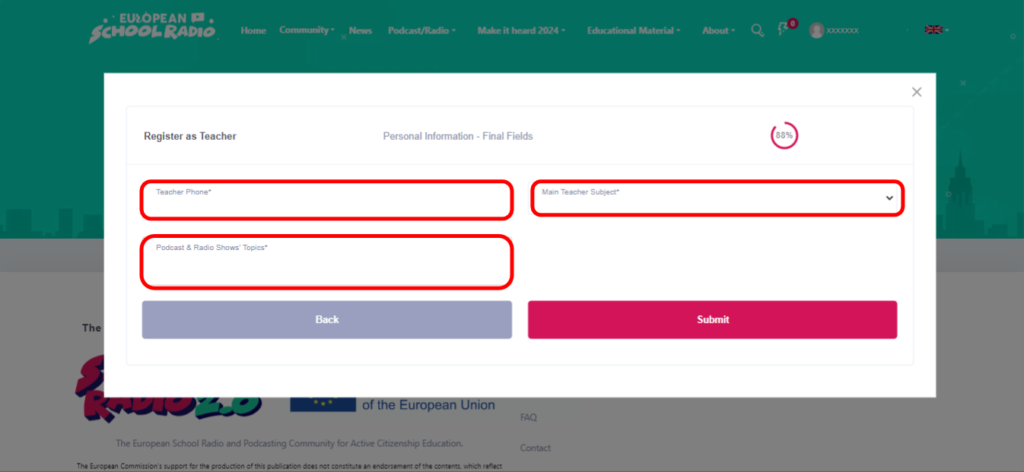
You select the topics of Podcasts and Radio Shows.

Modifications are possible. In case you want to delete an option, you can do so by clicking on the X next to each topic.

Then click „Submit„.
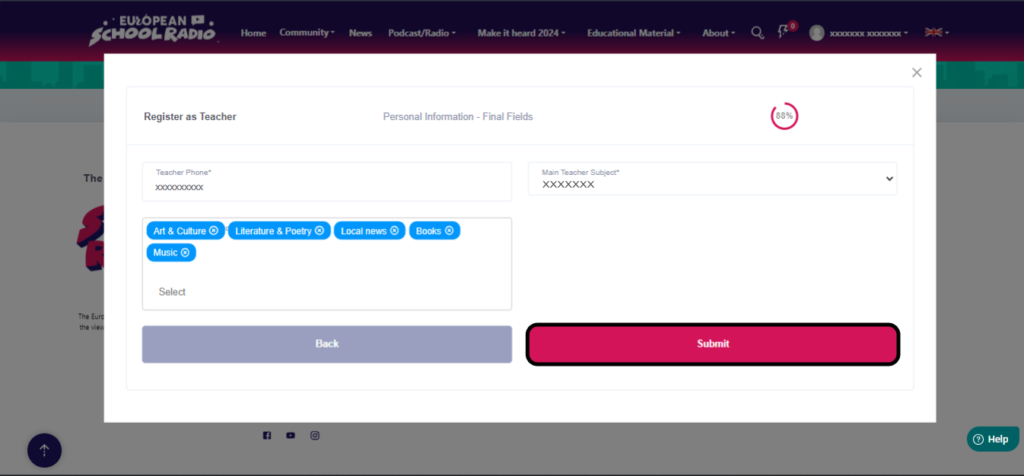
Wait for approval from the European School Radio Administrator or one of the other users with the role of teacher for your school.

If after subscribing to student’s radio you wish to find information and manage your profile please read the section „Manage profile„.


Case 2

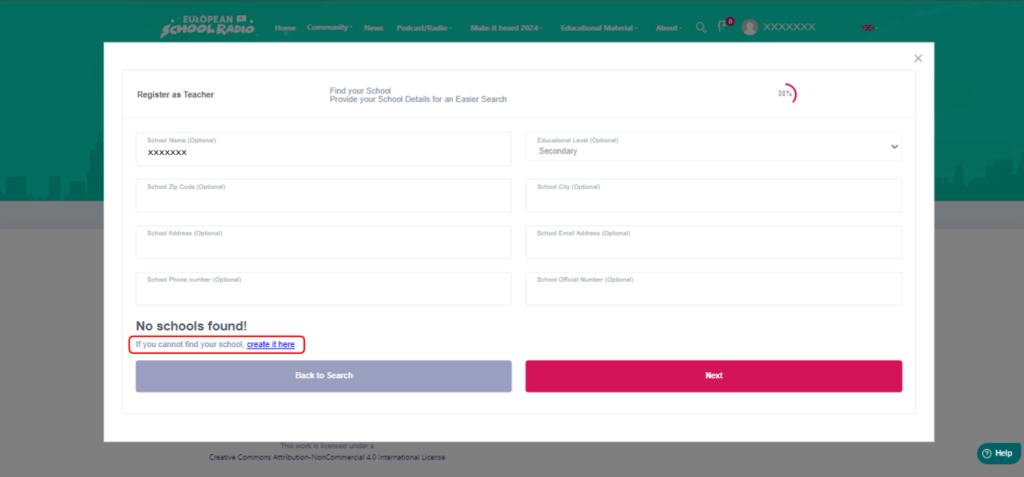
⚠️Only if your school has not been found, you can try searching again or contacting your colleagues who have already registered. If it does not exist, then you create your school yourself by selecting „Create it here“.

To follow the steps see here: How to create my school?
Yes No Suggest edit
1 of 1 users found this section helpful
Help Guide Powered by Documentor
Suggest Edit