(English) Participation Guide

Leider ist der Eintrag nur auf English und Ελληνικά verfügbar.

  1. (English) Registration / Users
    1. (English) User Roles
      1. (English) Teachers/Team Leaders
        1. (English) Teachers and Students Aprooval
        2. (English) School administration
        3. (English) School data edit
        4. (English) Create a blog post in Community
        5. (English) Publish educational content H5P
      2. (English) Students
      3. (English) Visitors
    2. (English) Teacher Registration
      1. (English) Connect to a school
      2. (English) How to register my school in the platform
    3. (English) Student Registration
    4. (English) Visitor Registration
    5. (English) User profile management
    6. (English) User Library
  2. (English) Radio Shows
    1. (English) Prepare / promote your Broadcasts
      1. (English) Organize the Student Radio Team
      2. (English) Promote your participation in the School Radio
        1. (English) Activities to promote your Broadcasts
        2. (English) School Participation (Logo and Spot)
        3. (English) Create a Community Group
        4. (English) Listen to ESR from Your Website
      3. (English) Collaborate on Joint Broadcasts
      4. (English) Record your Radio Shows
    2. (English) Podcast or Radio Show
      1. Podcast
        1. (English) Create a Podcast
        2. (English) Edit a Podcast
        3. (English) Add an episode
        4. (English) Delete a Podcast
      2. (English) Radio Show
        1. (English) Short Radio Show
        2. (English) Book a Scheduled Radio Show
        3. (English) Edit a a Scheduled Radio Show[:}
        4. (English) Add an Episode to a Radio Show
        5. (English) Edit an Episode of a Radio Show
        6. (English) Delete a Radio Show
        7. (English) Live Broadcasting
        8. (English) Listen to your Broadcast
    3. (English) Search
      1. (English) Search Radio Shows and Podcasts
      2. (English) Search Schools
      3. (English) Search Users
  3. (English) Contests / Activities
    1. (English) Make it heard
      1. (English) Submit your entry
      2. (English) Entries Evaluation
        1. (English) Evaluation by Teachers
        2. (English) Evaluation by Students
        3. (English) Eveluation by the Jury
    2. (English) Other Activities by European School Radio
    3. (English) Teachers Training
  4. (English) Support

(English) Delete a Radio Show

Leider ist der Eintrag nur auf English, Ελληνικά, Español, Polski und Português verfügbar.

⚠️*Before proceeding to delete your radio show, please make sure you delete the episodes contained within the show first.

To delete episodes, follow the steps below:

  • Step 1: Go to your show’s page by following the path: Home -> Library -> Radiofwnikes Ekpompes.
  • Step 2: Select your show from the list.
  • Step 3: Locate the episode you want to delete and click on the episode delete icon.

Please note that once you delete an episode, it cannot be recovered. Therefore, make sure you want to proceed before confirming the deletion.


Let’s continue the deletion of a Radio Show:

  • Step 1: Go to your broadcast page by following the path: Start by going to Home -> Library -> Radio Shows.
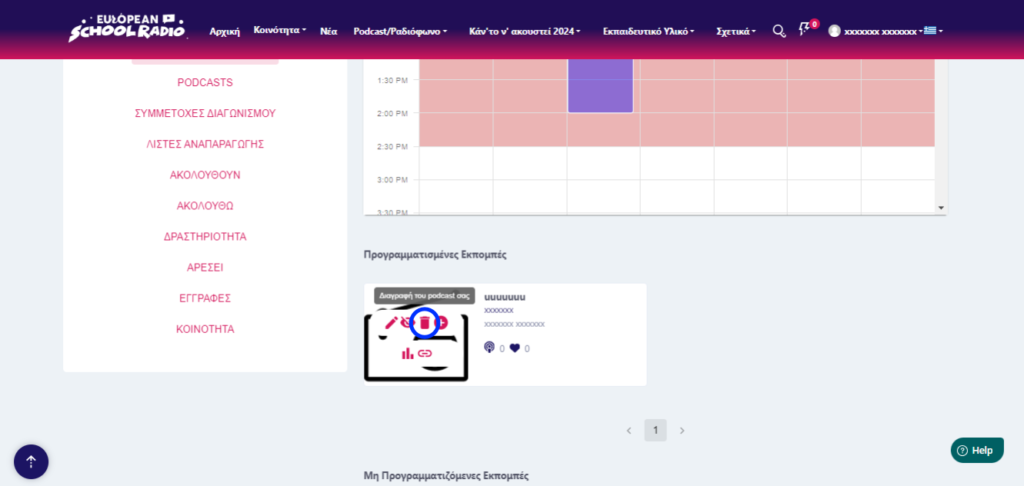
  • Step 2: Locate the show you want to delete and click on the Delete Radio Show icon.

Please note that once you delete a Radio Show, it cannot be recovered. Therefore, make sure you want to proceed before confirming the deletion.


Step 3: Locate the Radio Show you want to delete and click on the Delete Show icon.
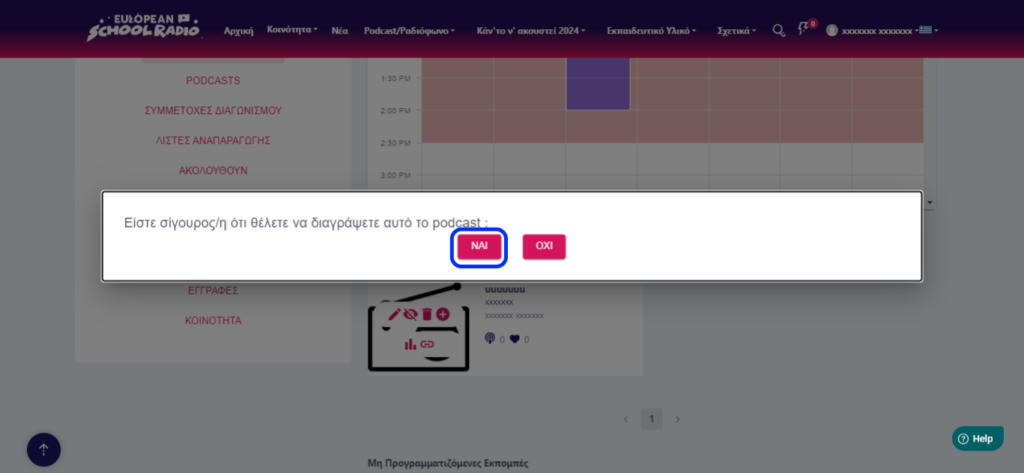
Click on the „YES“ option
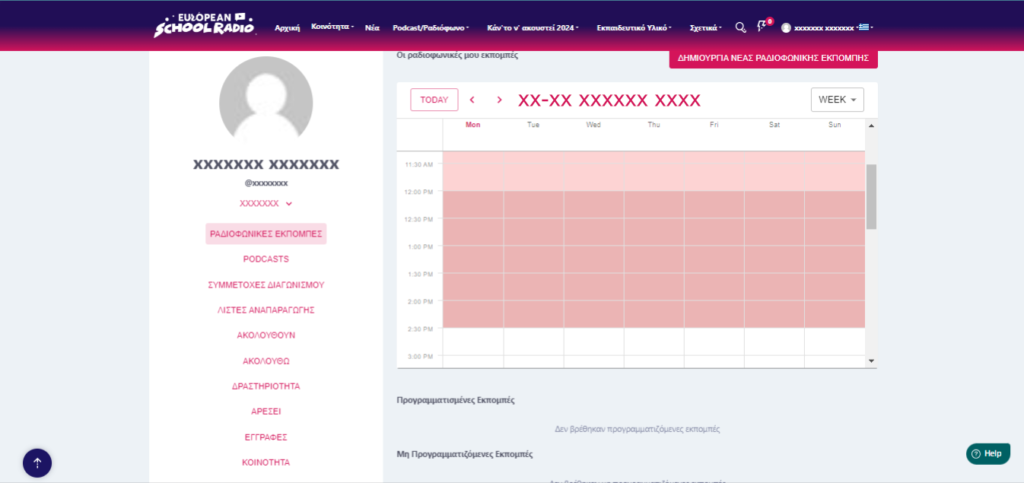
The Radio Show has been successfully deleted
Yes No Suggest edit
0 of 0 users found this section helpful
Help Guide Powered by Documentor

Suggest Edit