Podcast editing
Edit a podcast
Step 1: Locate the Podcast you want to edit and click on the Podcast edit icon.
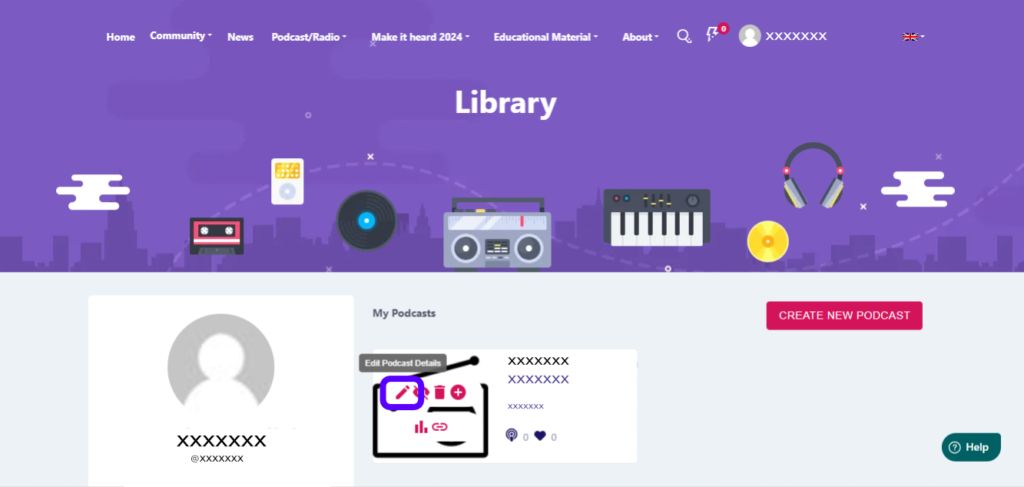
Fill in the necessary fields and select „Continue„.
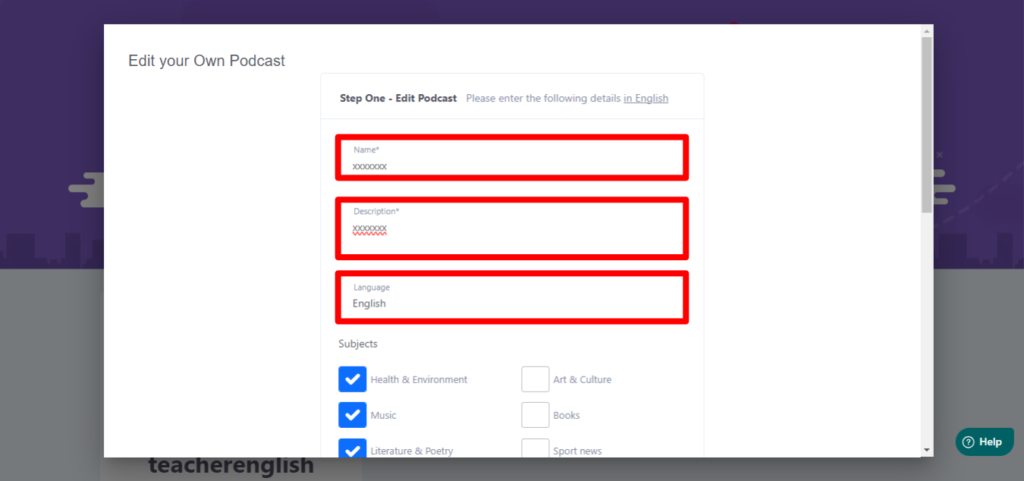
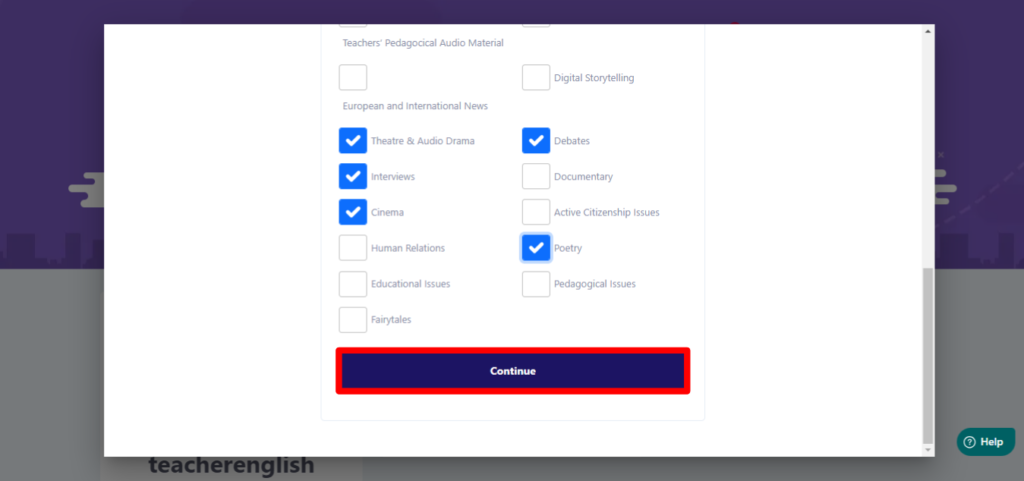
Fill in the necessary information in the corresponding fields and then click „Continue„.
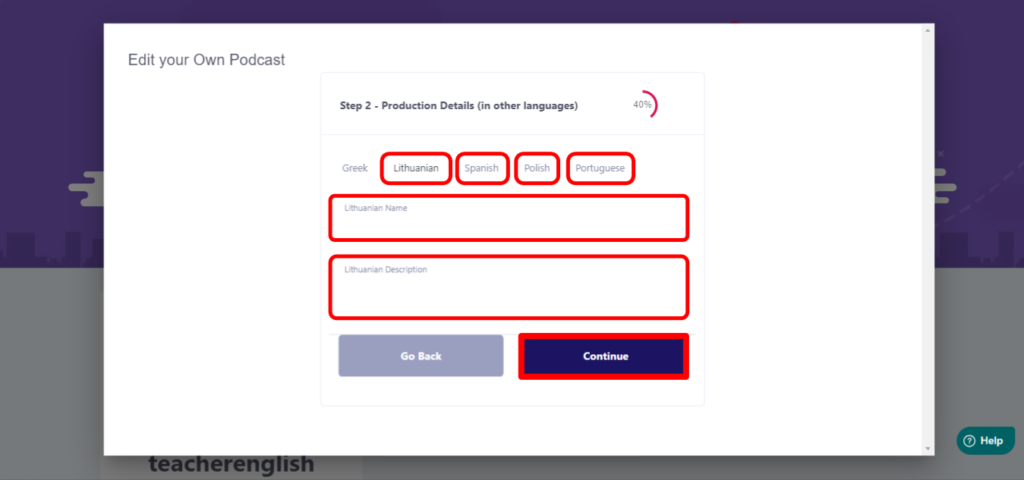
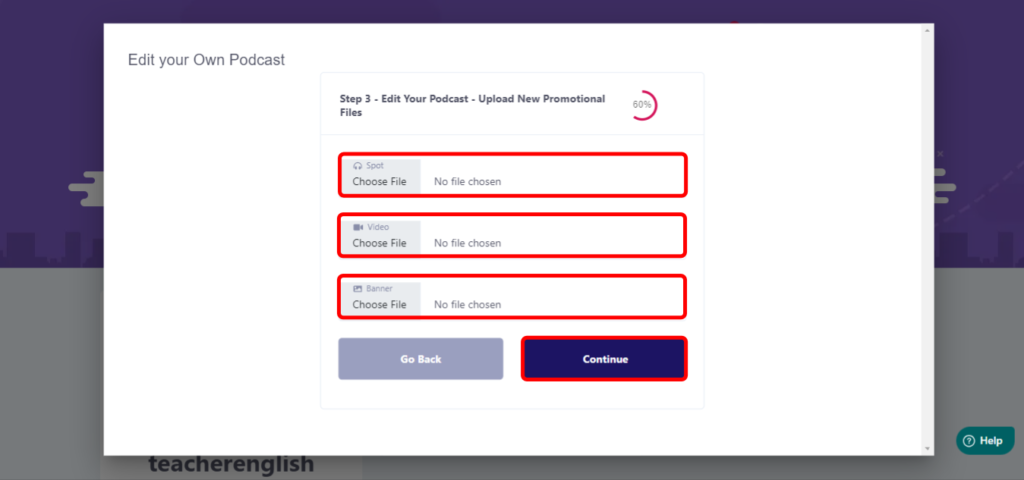
Next, select the files you want to add (Spot
, Video, Banner [image]) and press „Continue„.
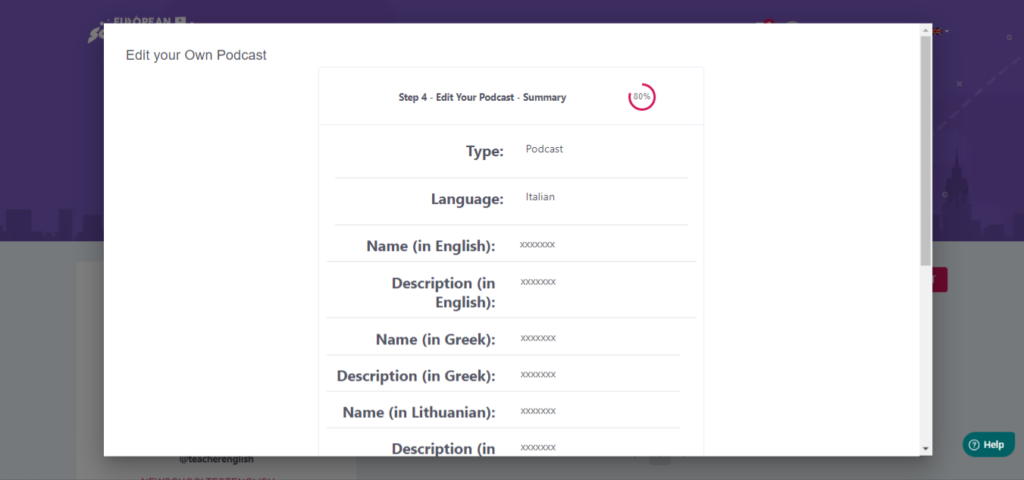
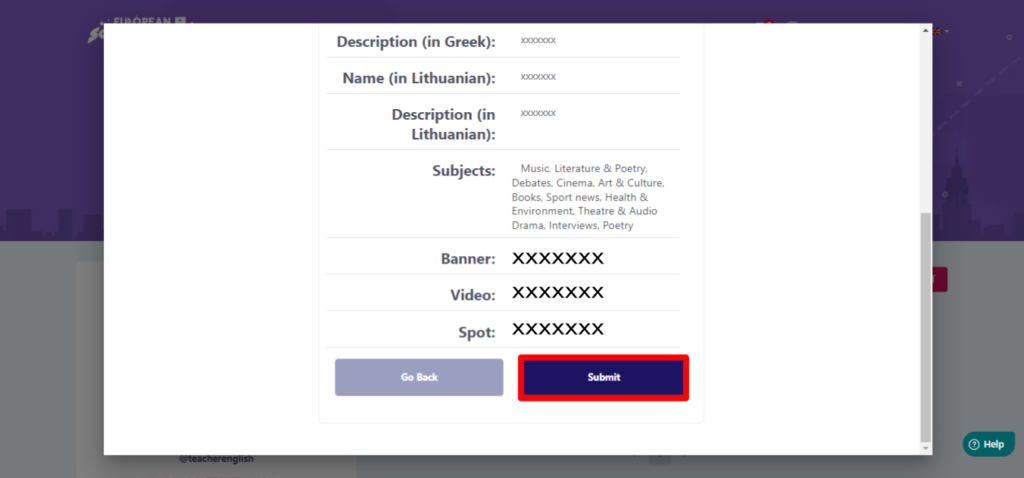
Summary of Podcast data. Select „Submit„
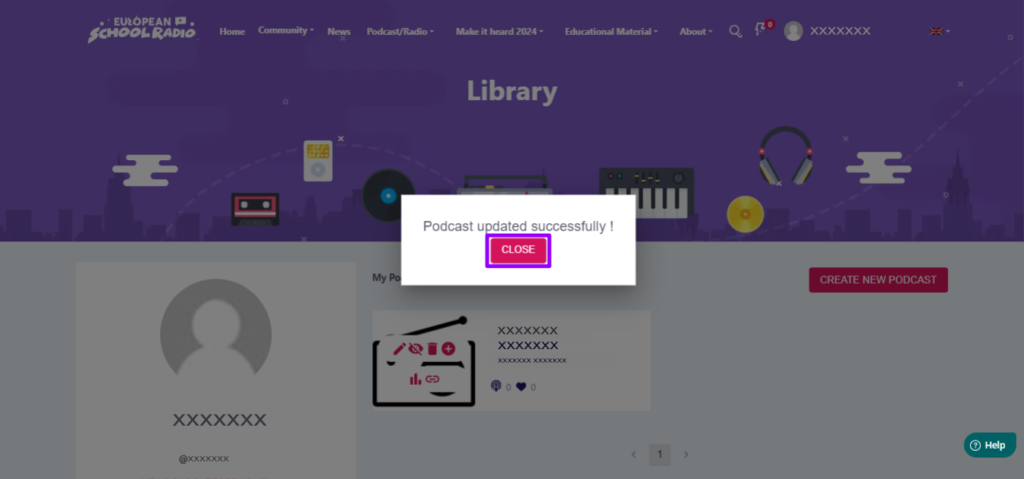
Click on „Close„.
0 of 0 users found this section helpfulHelp Guide Powered by Documentor 
(English) Participation Guide OLD

The new information system of European School Radio has been developed in the framework of European program

The European School Radio and Podcasting Community for Active Citizenship Education.
The European Commission's support for the production of this publication does not constitute an
endorsement of the contents, which reflect the views only of the authors, and the Commission
cannot be held responsible for any use which may be made of the information contained therein.

This work is licensed under a
Creative Commons Attribution-NonCommercial 4.0 International License