Programmed Show Processing
Edit a Schedulable Radio Show
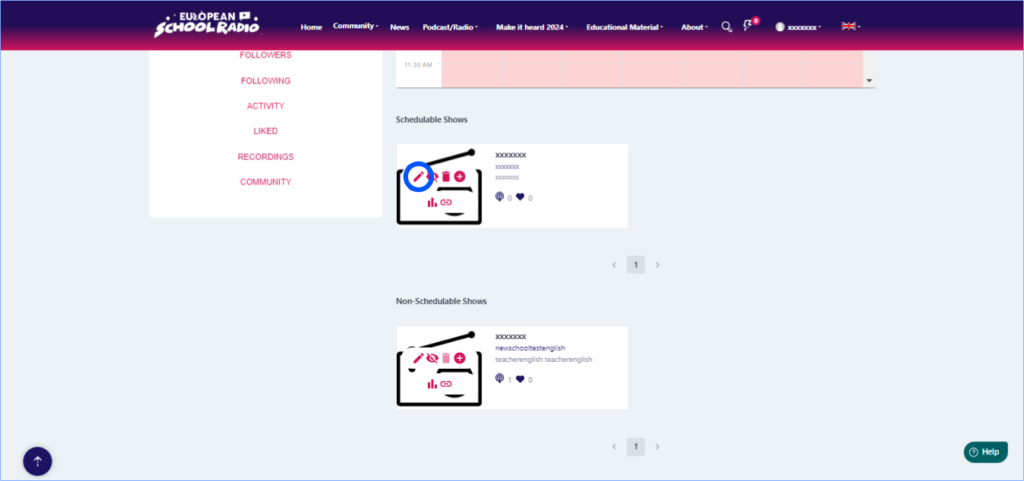
Step 1: Locate the scheduled show you want to edit and click on the edit icon of the scheduled show
Fill in the fields and click “Continue“
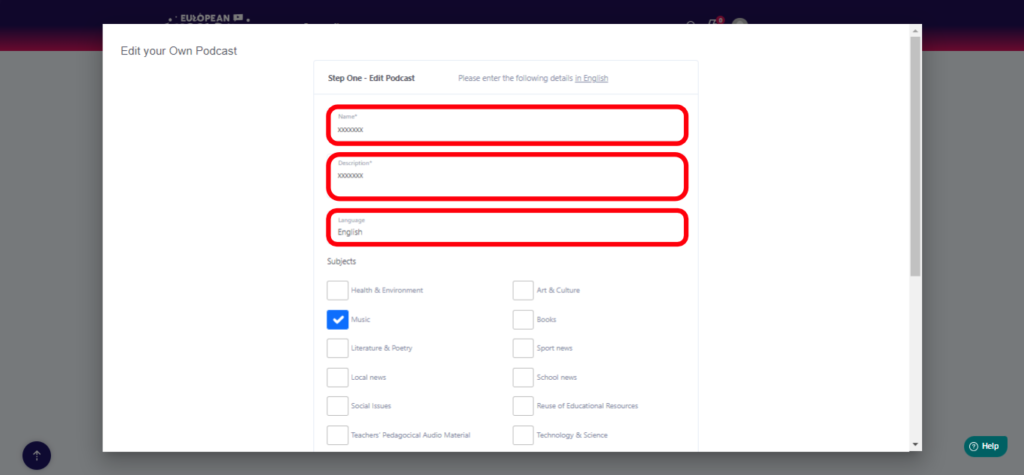
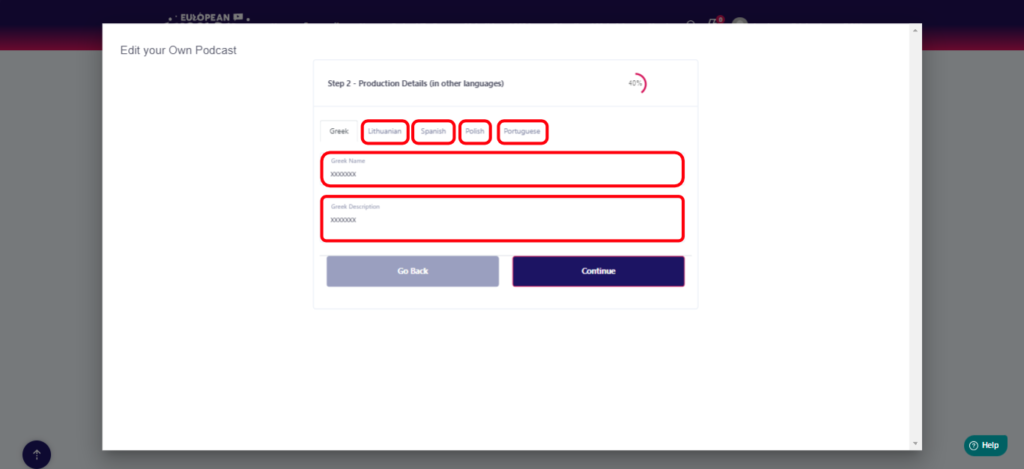
Fill in the information in the corresponding fields and then click “Continue“
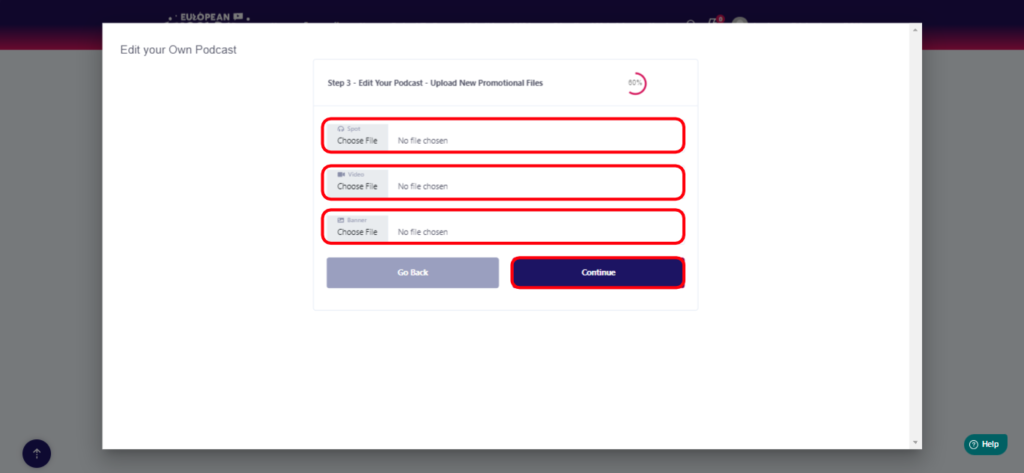
Next, select the files you want to edit (Spot
, Video, Banner [image]) and click “Continue“
Summary of the processed show data
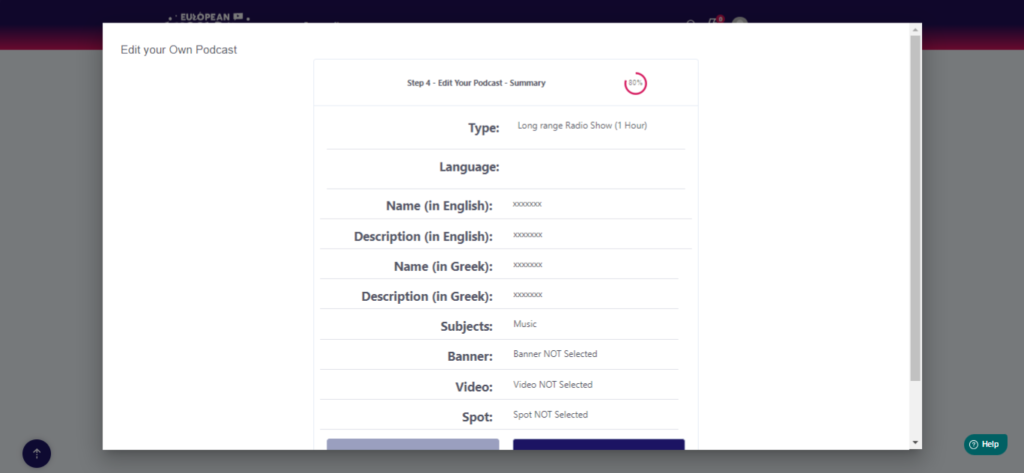
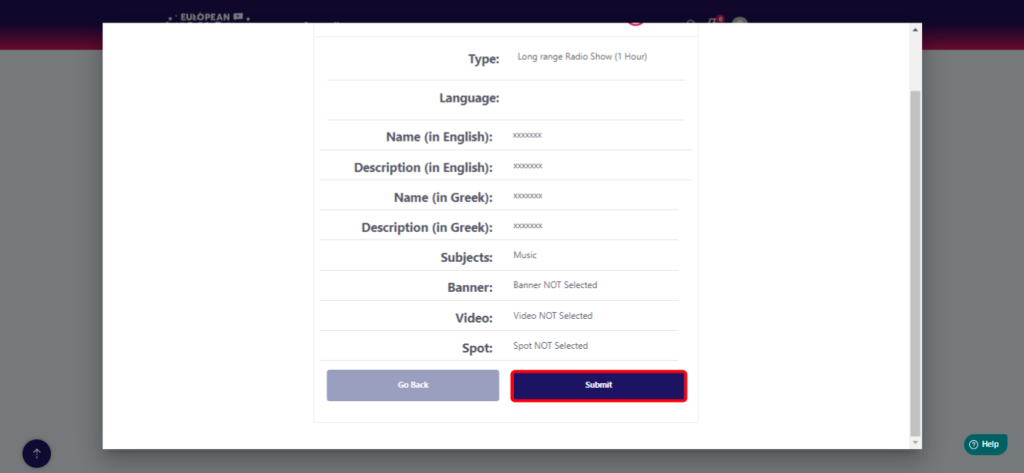
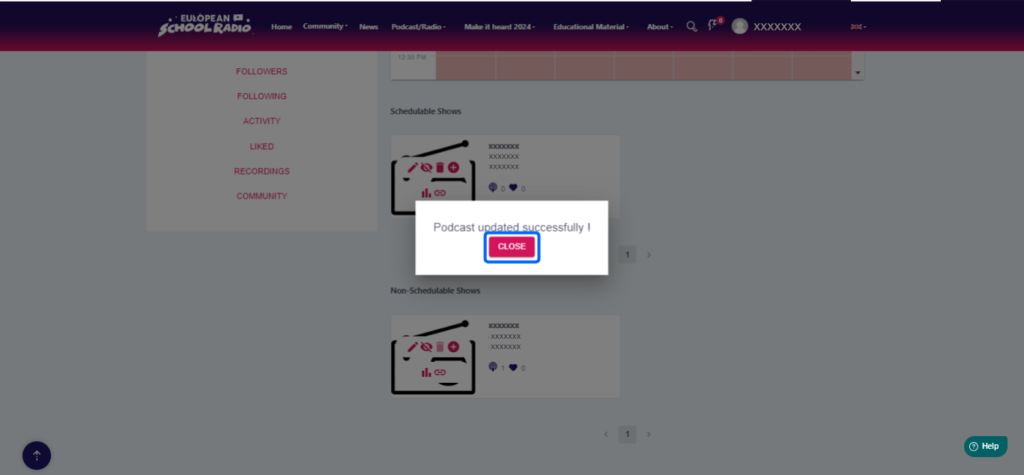
Click on “Close“.
0 of 0 users found this section helpfulHelp Guide Powered by Documentor 
Participation Guide OLD

The new information system of European School Radio has been developed in the framework of European program

The European School Radio and Podcasting Community for Active Citizenship Education.
The European Commission's support for the production of this publication does not constitute an
endorsement of the contents, which reflect the views only of the authors, and the Commission
cannot be held responsible for any use which may be made of the information contained therein.

This work is licensed under a
Creative Commons Attribution-NonCommercial 4.0 International License